All topics
Web & Mobile Development
Web and mobile development guides: how the web works, HTTP, APIs, REST vs GraphQL, web performance, Core Web Vitals, XML and building mobile apps.
Web development covers everything needed to put an application in front of users: the front end people see, the back end that stores and serves data, and the network in between. This hub collects the concepts that connect those pieces, so you understand what really happens between typing a URL and seeing a page, which is also one of the most common interview questions for web roles.
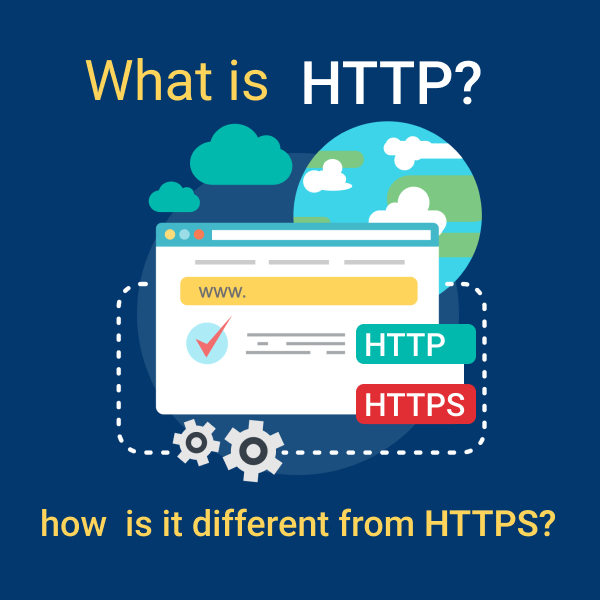
Start with how the web works: domain names, IP addresses, web servers, HTTP vs HTTPS, status codes, cookies and CORS. Then learn how applications talk to each other through APIs, including REST vs GraphQL, authentication and versioning, and how to design a clean RESTful API. The performance guides explain Core Web Vitals, lazy loading and caching, the techniques that make sites fast and help them rank in search.
The mobile section compares native and cross-platform development, React Native and Flutter, and walks through building a first app. The XML guides cover the data format that many enterprise systems, payment gateways and older APIs still use.
Career note: web development is one of the largest hiring areas in IT worldwide. Front-end, back-end and full-stack roles are advertised in every major market, from the US, Canada and the UK to Germany, Poland, India, Singapore, Australia and the UAE, and many companies hire remotely across borders. Pay varies widely by country and company, with product companies and the US market typically paying the most, but the core skills are the same everywhere. Freshers usually enter through campus placements, internships, graduate programmes or a strong portfolio of deployed projects.
Skills checklist for interviews: describe what happens when you open a URL, explain HTTP methods and status codes, cookies and sessions, CORS and HTTPS, design a small REST API with sensible routes and error responses, and name practical ways to improve page speed such as caching, compression, image optimisation and lazy loading.
Read the full-stack roadmap and the guide to becoming a web developer for a sensible learning order, then build and deploy a small project that uses a real API.
Start here
37 articles in Web & Mobile Development
Web Development Basics
How the web works, front end vs back end, the full-stack roadmap and the frameworks and tools developers use.




APIs
How applications talk to each other: REST vs GraphQL, designing APIs, authentication and versioning.

Web Performance
Make sites fast: Core Web Vitals, lazy loading, caching and practical load-speed fixes.

Mobile App Development
Native vs cross-platform apps, React Native vs Flutter and building your first mobile app.

XML
XML syntax, schemas (XSD), namespaces, parsing in JavaScript and how XML compares with JSON.

Web & Mobile Development: frequently asked questions
What is the difference between a web developer and a full-stack developer?
A web developer may specialise in either the front end (what users see) or the back end (servers, databases, APIs). A full-stack developer works on both. Many job listings use the titles loosely, so read the required skills rather than the title.
How long does it take to become job-ready in web development?
With consistent practice, many learners become ready for junior roles or internships in six to twelve months. What matters most to employers is a portfolio of deployed projects that show HTML, CSS, JavaScript, a framework and work with a real API.
Should I learn REST or GraphQL first?
Learn REST first. It is simpler and used by most public and internal APIs. GraphQL is worth learning next, especially if you work with front-end teams that need flexible data fetching.
Native or cross-platform for a first mobile app?
Cross-platform frameworks such as React Native or Flutter let you ship to Android and iOS from one codebase, which suits beginners and startups. Native development (Kotlin, Swift) is preferred when an app needs maximum performance or deep platform features.